Website Accessibility for Municipalities
Everything you ever wanted to know, but were
afraid to ask
Your website is the online town hall, so every resident needs to be able to use it, whatever their abilities. We build for accessibility and we work on it every day: the themes, the menus, the code underneath, and the documents that go up. Your municipality owns the content it publishes, and we help you with it.
What do ADA and Section 508 mean for your website?
You can read the federal rules for yourself here: https://www.ada.gov/508/
Section 508 of the Rehabilitation Act (29 U.S.C. § 794d) requires that Federal agencies' electronic and information technology is accessible to people with disabilities, including employees and members of the public.
It comes down to one word: accessibility. An accessible municipal website has two parts, the site itself and the content published into it. Town Web builds and maintains the first. Your municipality creates the second, and we help you with it. Our accessibility statement sets out which parts are ours and which are yours, in detail.
The municipal website hosts information, guidelines, meeting minutes and agendas as well as decisions that all influence residents and the bigger community.
What Town Web works on, every day
Accessibility is not a box we tick at launch. Every Town Web site is built to meet ADA and Section 508 accessibility standards before it goes live, and the work carries on from there.
- Accessibility scans. The website accessibility tool scans your pages and documents, flags any issues it finds, and keeps a record of what has been found and fixed, so you know where you stand instead of guessing.
- Document scanning. Uploaded PDFs are the most common source of accessibility problems on a municipal site. Minutes, budgets, and ordinances usually start life on a scanner, and a screen reader sees a picture where your resident sees text. We flag those documents, and we can fix them or show you how.
- Dead-link checks. Links rot as pages move and documents get replaced. We check for broken links so residents do not land on a page that is no longer there.
- Themes, menus, and code. Page structure, heading order, color contrast, keyboard and screen-reader navigation, forms, buttons, and link text. When we find an accessibility problem in our own code, we fix it and push the update to every site it affects.
- Pre-publish warnings. When you save a new page, the editor flags likely accessibility problems before a resident ever sees them.
Some documents cannot be rewritten. For an ordinance or a signed record, the practical answer is to keep the original and post a plain-language summary next to it.
No automated tool catches everything, and accessibility work is never finished. What we can tell you is where you stand, what changed, and what to do next. The full picture, including what our scanner does not do, is in our accessibility statement. And if a vendor or an automated checker has told you your site fails, forward it to us: we will run a scan and walk you through what it actually says.
Types of Disabilities
Accessible design on a municipal website rests on four pillars: visual, auditory, mobility, and cognitive.
Limited Visual Abilities
- Blindness (partial and total)
- Color blindness
- Reduced contrast sensitivity
- Reduced color perception
- Near-focus, making it difficult to read web pages
How to include people with limited visual abilities
-
 Enable easy navigation using a screen reader
-
Ensure adequate color contrast
-
Use alt-text to make images accessible
-
Allow users to increase font size without affecting site layout
-
Clearly describe each linked element for easy identification
Limited Physical Abilities
- Could include reduced dexterity and fine motor control
- Difficulty using a mouse
- Hard to click on small target areas
Strategies for accommodating individuals with limited physical abilities
-
Enable keyboard navigation (using the tab and enter keys)
-
Ensure mouse/trackpad navigation is possible
-
Use large buttons with ample clickable areas
-
Provide adequate spacing between different clickable elements
Limited Cognitive Ability
- Reduced short-term memory
- Difficulty concentrating
- Easily distracted
- Difficulty following navigation and complete online tasks
How to include people with limited cognitive ability
-
Use a simple layout
-
Ensure a linear flow instead of jumping around
-
Utilize left-justified text to aid those with dyslexia
-
Avoid lengthy and complex forms; break them into easy-to-follow steps
History of the International Symbol of
Access (ISA)
History of the International Symbol of
Access (ISA)
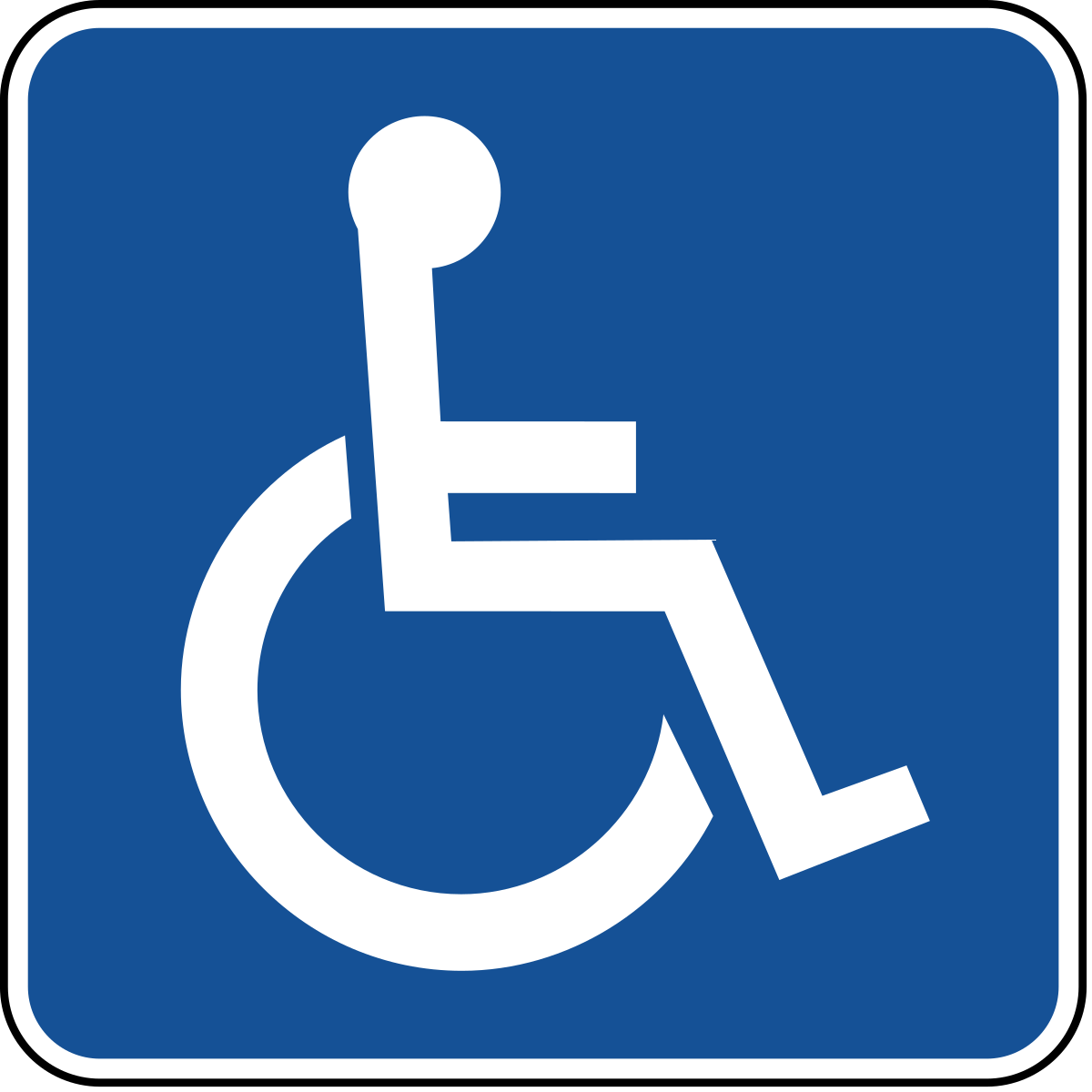
Certainly, you may recognize the ISA wheelchair logo—a white wheelchair symbol with a circle representing the head, set against a blue background. The logo's original design was crafted by Danish design student Susanne Koefoed in 1968, as noted on the Wikipedia page.
The aim of this design was to signify enhanced access to various areas, specifically for wheelchair users. Nonetheless, it's important to note that individuals with disabilities are not solely those with physical impairments.
According to statistics provided by a group of creatives in London known as Visibility93, 93-95% of people with disabilities have non-visual impairments.
When an individual mentions their disability to a staff member at the municipality, a welcoming and appropriate way to respond would be to ask “How can I help you?”
Mobile Software that People with
Visual Disabilities Use
Mobile Software that People with
Visual Disabilities Use
At Town Web, we are collaborating with various real-world users of municipal websites who are well-equipped to provide us with valuable feedback. One individual pointed out that a significant number of blind users access websites through mobile devices and utilize the built-in screen reader integrated into their operating system. For instance, iOS devices use VoiceOver as their screen reader, while Android devices use TalkBalk.
Here is how to enable VoiceOver on iOS:
https://support.apple.com/en-us/HT204390.
Here is how to enable TalkBack on Android devices:
https://support.google.com/accessibility/
android/answer/6283677?hl=en.
Free Tools for Contrast Measurement
Here is a free online tool that can be used for checking contrast of image and of foreground/background combinations
ContrastCheckerURL:
https://contrastchecker.com/
You can manually add the hex code values for a foreground and a background color. It shows you whether that pair passes the contrast thresholds the accessibility standards use. In the image below the pair fails: there is not enough contrast between the text and its background.
You can also upload images and it will display a grayscale version
Every Town Web site is built to meet ADA and Section 508 accessibility standards, and we keep working on it after launch: accessibility scans, document scanning, dead-link checks, and the themes, menus, and code underneath. That is Clerk-work off your desk. Tell us about your municipality and a real person will send your exact number.